How a Content-Security-Policy caught malware in a customer's browser
I've been wanting to add a Content-Security-Policy (CSP) header to Nusii for a long time. But honestly? I was scared.
What is a Content-Security-Policy?
A Content-Security-Policy is an HTTP header that tells the browser exactly which scripts, styles, fonts, and other resources are allowed to load on your page. If something isn't on the list, the browser blocks it.
Why does this matter? Imagine a browser extension gets compromised and starts injecting malicious JavaScript into every page you visit. Without a CSP, that script runs freely. It can read your page content, capture what you type, and send it all to some shady server. With a CSP in place, the browser sees the script isn't on the whitelist and kills it before it can do anything.
It's one of the most effective defenses against Cross-Site Scripting (XSS), a type of attack where malicious scripts get injected into pages your users trust. So it was about time I added one to Nusii.
Why I was terrified
Here's the thing. Nusii isn't a simple app that only loads its own scripts. We use Stripe for payments, custom Google Fonts, Help Scout for support, ProfitWell for dunning, and more. On top of that, our customers can configure their own chat widgets on their public proposals. Think Intercom, Drift, Tawk.to, and others.
That's a lot of third-party scripts. Each with their own CDNs, WebSocket connections, and sub-dependencies. A CSP that's too strict would silently break things for customers, and they might not even tell me. Their chat widget would just… disappear. No errors. No warnings. Just gone.
So I kept putting it off.
Starting with report-only mode
The trick that finally gave me the courage to start was content_security_policy_report_only. Instead of actually blocking anything, it just reports what it would have blocked. You get all the data, none of the breakage.
Here's the Rails initializer I started with:
# config/initializers/content_security_policy.rb

Rails.application.configure do
  config.content_security_policy do |policy|
    policy.default_src :self
    policy.font_src    :self, :data,
      'https://fonts.gstatic.com'
    policy.object_src  :none
    policy.base_uri    :self
    policy.img_src     :self, :data, :https, :http
    policy.style_src   :self, :unsafe_inline,
      'https://fonts.googleapis.com'

    policy.script_src :self, :unsafe_inline, :unsafe_eval,
      'https://js.stripe.com',
      'https://beacon-v2.helpscout.net',
      # ... more whitelisted scripts

    policy.connect_src :self,
      'https://api.stripe.com',
      'https://beacon-v2.helpscout.net',
      # ... more whitelisted connections

    policy.frame_src :self, :https

    policy.report_uri '/csp-violation-report'
  end

  config.content_security_policy_report_only = true
end
That last line is the important one. Report-only mode. Deploy it, break nothing, learn everything.
Catching the violations
Every CSP violation gets POSTed to /csp-violation-report as JSON. I built a small controller that receives these reports and sends them to AppSignal so I can track them:
# app/controllers/csp_violations_controller.rb

class CspViolationsController < ApplicationController
  skip_before_action :verify_authenticity_token

  def create
    report = JSON.parse(request.body.read).fetch('csp-report', {})

    directive = report['violated-directive']
    blocked = report['blocked-uri']
    document = report['document-uri']

    Appsignal.send_error(
      CspViolationError.new("#{directive} blocked #{blocked} on #{document}")
    )

    head :no_content
  rescue JSON::ParserError
    head :bad_request
  end
end
And the route:
# config/routes.rb

post 'csp-violation-report' => 'csp_violations#create'
And here's the RSpec test:
# spec/requests/csp_violations_controller_spec.rb

describe CspViolationsController do
  describe 'POST /csp-violation-report' do
    let(:csp_report) do
      {
        'csp-report' => {
          'document-uri' => 'https://app.nusii.com/proposals',
          'violated-directive' => 'script-src',
          'blocked-uri' => 'https://evil.com/script.js',
          'original-policy' => "script-src 'self'"
        }
      }
    end

    it 'reports the violation and returns no content' do
      allow(Appsignal).to receive(:send_error)

      post '/csp-violation-report',
        params: csp_report.to_json,
        headers: { 'Content-Type' => 'application/csp-report' }

      expect(response).to have_http_status(:no_content)
      expect(Appsignal).to have_received(:send_error)
        .with(an_instance_of(CspViolationError))
    end

    it 'returns bad request for invalid JSON' do
      post '/csp-violation-report',
        params: 'not json',
        headers: { 'Content-Type' => 'application/csp-report' }

      expect(response).to have_http_status(:bad_request)
    end
  end
end
Pretty straightforward. The browser sends the violation as JSON, we parse it and forward it to AppSignal. Now every violation shows up as an error you can track, filter, and alert on.
The iterative process
After deploying, I went through a cycle of: check AppSignal, see a violation from a legitimate script I forgot to whitelist, add it, deploy again. The connect_src directive was especially tricky because every third-party service has its own API endpoints, metric collectors, and WebSocket connections that aren't obvious until you see the violations.
Eventually the reports went quiet. Only noise from browser extensions remained. That's when I knew the policy was solid.
Then it caught something real
Here's where it gets interesting. And honestly, this is the reason I'm writing this post.
A few days after deploying, a new violation popped up in AppSignal that I hadn't seen before. A script from infird.com was being loaded in a customer's browser. I looked it up. It's a known malware domain.
Let me explain what was happening here. This customer, let's call her Sarah, had unknowingly installed a compromised browser extension. That extension was injecting a malicious script from infird.com into every single page she visited. Not just Nusii. Every website. Her banking. Her email. Everything.
This script could read page content, track her activity, and potentially capture things she typed. Passwords. Credit card numbers. Client details in her Nusii proposals. All of it, silently being sent somewhere she had no idea about.
Without a CSP, we would have never known. The script would have run silently alongside our own code, and Sarah would have kept browsing for who knows how long with malware reading over her shoulder.
But because we had a Content-Security-Policy in place with violation reporting, the browser flagged it immediately: "Hey, this script from infird.com isn't on the whitelist." And that report landed in our AppSignal dashboard.
The scary part about browser extensions
Here's what most people don't realize about browser extensions: they run with elevated privileges. When you install an extension and grant it permission to "read and change all your data on all websites," you're giving it full access to every page you visit. It can inject scripts, read form inputs, modify what you see, and phone home with whatever it collects.
Most extensions are fine. But it only takes one compromised update, or one shady extension that slipped through the review process, and suddenly there's malware running in your browser with full access to everything.
The worst part? There are no visible symptoms. No pop-ups. No slowdowns. Nothing to make you suspicious. The extension just quietly does its thing in the background while you go about your day.
Reaching out to Sarah
This was a bit of an unusual situation. The malware wasn't affecting Nusii's servers, our data was safe. But I couldn't just ignore it knowing that a customer's browser was compromised. So I sent her an email:
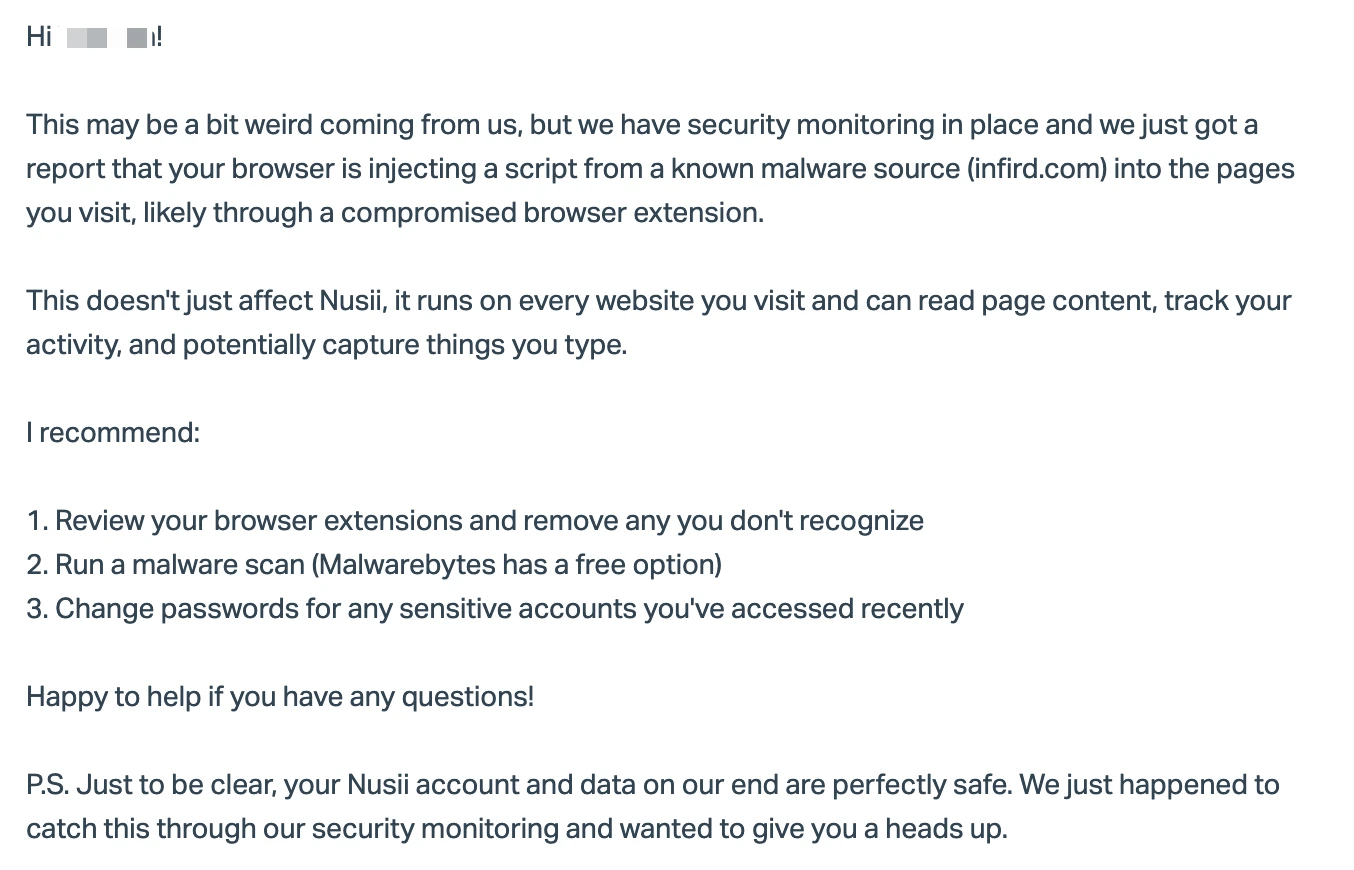
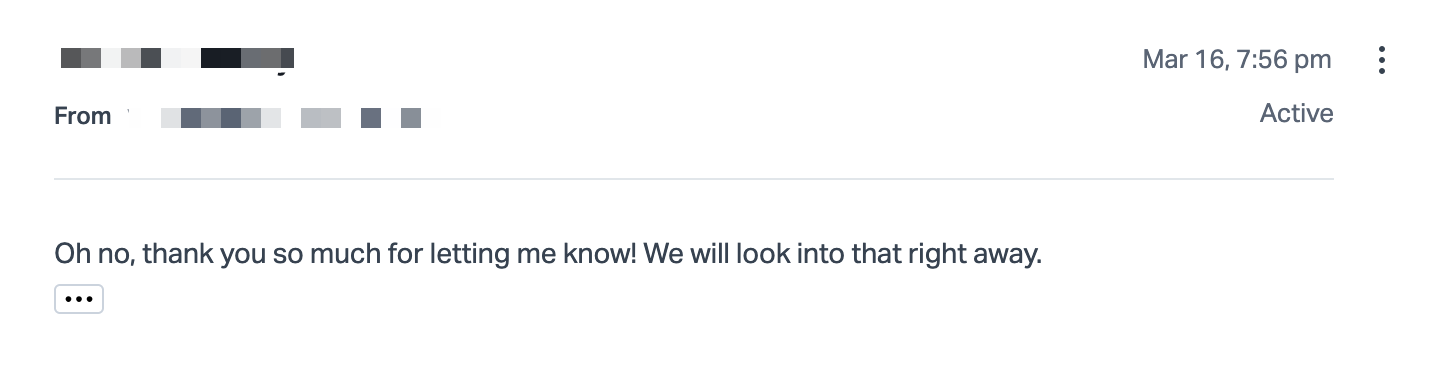
She had absolutely no idea. The extension had been silently doing its thing on every site she visited, and without our CSP reporting, nobody would have told her.
Think about that for a second. A security header on our SaaS caught malware on a customer's machine. That's the power of CSP violation reporting. It doesn't just protect your app, it gives you visibility into things happening in your users' browsers that shouldn't be happening.
One more layer of protection
Nusii handles sensitive business data. Proposals with pricing strategies, client contact details, project scopes. Stuff that businesses really don't want leaking. Adding a CSP is one more layer of protection for our customers. It won't stop every attack, but it makes script injection significantly harder, and when something suspicious does happen, we know about it immediately.
And as we learned with Sarah, it can even protect customers from threats that have nothing to do with your app. Compromised browser extensions are everywhere, and most people have no idea they're affected. Your CSP violation reports might be the only thing that catches it.
If you've been putting off adding a CSP because your app has a lot of third-party scripts, I get it. I was in the same boat. But report-only mode makes it completely safe to start. You literally cannot break anything. Deploy it, watch the reports, whitelist what's legit, and iterate.
Just do it. You might catch something real.
- Michael